
Info Window: Keyboard Shortcuts #
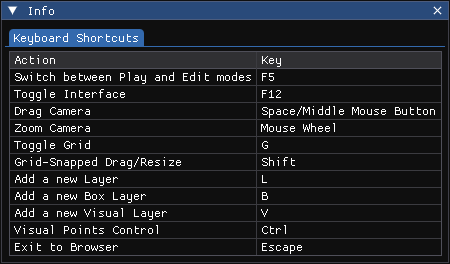
Selecting Info opens a reference panel showing the active keyboard shortcuts in NUMBOS.
Current Shortcuts #
- Switch between Play and Edit mode:
F5 - Toggle editor interface on/off:
F12 - Drag camera:
- Hold
Space, or - Hold the middle mouse button
- Hold
- Zoom camera:
- Scroll mouse wheel up or down
- Toggle grid:
G - Snap to grid while dragging or resizing: Hold
Shift - Add new layer:
L - Add new box layer:
B - Add new visual layer:
V - Visual point control: Hold
Ctrl - Exit to Theme Browser:
Esc
These shortcuts are designed to keep most layout and navigation actions off the mouse and within reach of the keyboard.


